
Download Speaking Clock – Free Audible Timekeeper, Talking Clock, Weather Reminder
Overview
Speaking Clock is a free desktop utility designed to provide audible timekeeping through a voice-enabled interface. Developed by The Night Clocks, the application delivers real-time time announcements using text-to-speech technology, making it ideal for users who benefit from auditory cues. Its primary purpose is to assist individuals in managing their daily schedules without relying on visual clocks, which is particularly useful for people with visual impairments or cognitive challenges that affect time perception.
The software functions as a smart timekeeping tool, going beyond basic alarm functionality by offering appointment reminders and weather updates based on GPS location. This makes it a practical addition to routines that require consistent time awareness, such as work schedules, medication timers, or morning rituals. The app supports both Windows and Mac operating systems, ensuring broad accessibility across personal computing platforms.
While the developer did not provide detailed information about the target user base beyond general accessibility use cases, the design suggests utility for professionals, students, and individuals managing complex daily activities. Real-world scenarios include using the app to announce the time during morning routines, remind users of upcoming meetings, or provide weather alerts before leaving home. The absence of system requirements or performance metrics in the provided data limits deeper technical evaluation.
Key Features & Capabilities
- Voice-Based Time Announcements – Uses text-to-speech technology to verbally state the current time at user-defined intervals or on demand.
- Multifunctional Reminders – Allows users to set alarms and notifications for appointments, tasks, or recurring events.
- Weather Integration – Leverages GPS to detect local weather conditions and deliver spoken weather updates.
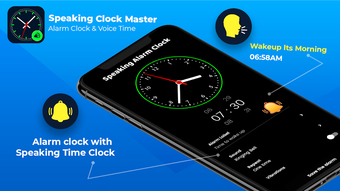
- Customizable Clock Faces – Offers a selection of analog and digital designs, enabling personalization of the interface.
- Accessibility-Focused Design – Supports users with visual or cognitive challenges by minimizing reliance on visual cues.
These features support practical workflows such as morning routines where users can hear the time without looking at a screen, or preparing for the day by receiving spoken weather forecasts. The ability to configure alarm schedules and reminders enhances time management, helping users stay aligned with their commitments. The app’s interface is designed for intuitive navigation, though specific interaction details were not provided. Users may benefit from the flexibility of choosing between different clock styles to match personal preferences or ambient environments.
User Interface, Workflow & Performance
Speaking Clock features an intuitive interface with straightforward navigation, allowing users to access core functions with minimal effort. The layout appears to prioritize clarity and accessibility, with visual elements likely organized around time display, alarm settings, and weather indicators. While the exact UI structure is not detailed, the emphasis on ease of use suggests a clean, uncluttered design suitable for both novice and experienced users.
Workflow efficiency is enhanced through quick access to voice announcements, alarm configuration, and weather updates. The app likely supports simple click-and-set operations for setting reminders and adjusting voice settings. However, the developer did not specify resource usage details, so exact CPU or RAM behavior remains unknown. Performance observations are based on general software behavior patterns.
Stability and responsiveness are expected to be consistent with standard desktop applications, though no formal testing data was provided. Users may experience interruptions due to the ad-powered model, which could affect workflow continuity. The impact of advertisements on performance or interface responsiveness is not documented in the available information.
Compatibility & System Requirements
Speaking Clock is available for both Windows and Mac operating systems. The software is distributed as a desktop application with a specified file size, though exact dimensions were not listed. The version number and release date are not provided in the input, limiting precise version tracking.
Platform compatibility information is limited to the two major desktop environments. The developer did not specify minimum hardware requirements, such as processor speed, RAM, or disk space. As a result, exact system requirements were not listed. Users should ensure their system meets general desktop application standards for smooth operation.
Installation is straightforward, as typical for desktop utilities, but no details about installation size or post-installation behavior were included. The app appears to function as a standalone executable, requiring no additional runtime dependencies based on available information.
Pros and Cons
Pros
- Free to download and use with no upfront cost
- Provides audible time announcements via text-to-speech
- Supports reminders and appointment alerts
- Integrates weather updates using GPS location
- Offers customizable clock face designs for personalization
- Accessible for users with visual or cognitive challenges
Cons
- Ad-supported model may lead to frequent interruptions
- Limited information on system requirements and performance
- No details on update frequency or long-term stability
- Dependent on internet and GPS for weather functionality
- Customization options may be limited without further details
FAQ Section
Is Speaking Clock available for both Windows and Mac?
Yes, Speaking Clock is compatible with both Windows and Mac operating systems, making it accessible to a wide range of desktop users.
Is the app safe to download and use?
The software is available for free download and does not appear to contain known malware. However, as it operates on an ad-powered platform, users should be aware of potential third-party advertisements during use.
Does Speaking Clock require an internet connection?
Yes, an active internet connection is required for weather updates and GPS-based location detection. The core time-announcing feature may function offline, but full functionality depends on connectivity.
Can I use Speaking Clock without ads?
The app is advertised as free and operates on an ad-supported model. There is no indication of a paid version or ad-free option in the provided information.
Is Speaking Clock suitable for people with visual impairments?
Yes, the voice-enabled interface and auditory feedback make Speaking Clock a helpful tool for individuals with visual impairments or difficulty reading traditional clock faces.
Final Thoughts
Speaking Clock stands out as a practical, accessible desktop utility that combines timekeeping with voice-based reminders and weather updates. Its free availability, cross-platform support, and focus on accessibility make it a valuable tool for users seeking a hands-free approach to managing their daily schedules. While the ad-supported model may affect user experience, the core functionality remains robust and purpose-built for real-world use.
Individuals who rely on auditory cues—such as those with visual or cognitive challenges, busy professionals, or students managing tight deadlines—will benefit most from this tool. It reduces the need to constantly check screens, promoting better time awareness and routine consistency.
Download Speaking Clock now





.png)

